Most Stripe accounts are approved within minutes. When one gets stuck, it's almost always because Stripe needs something from you. This article helps you find out what.
Check your status on MoveMentors
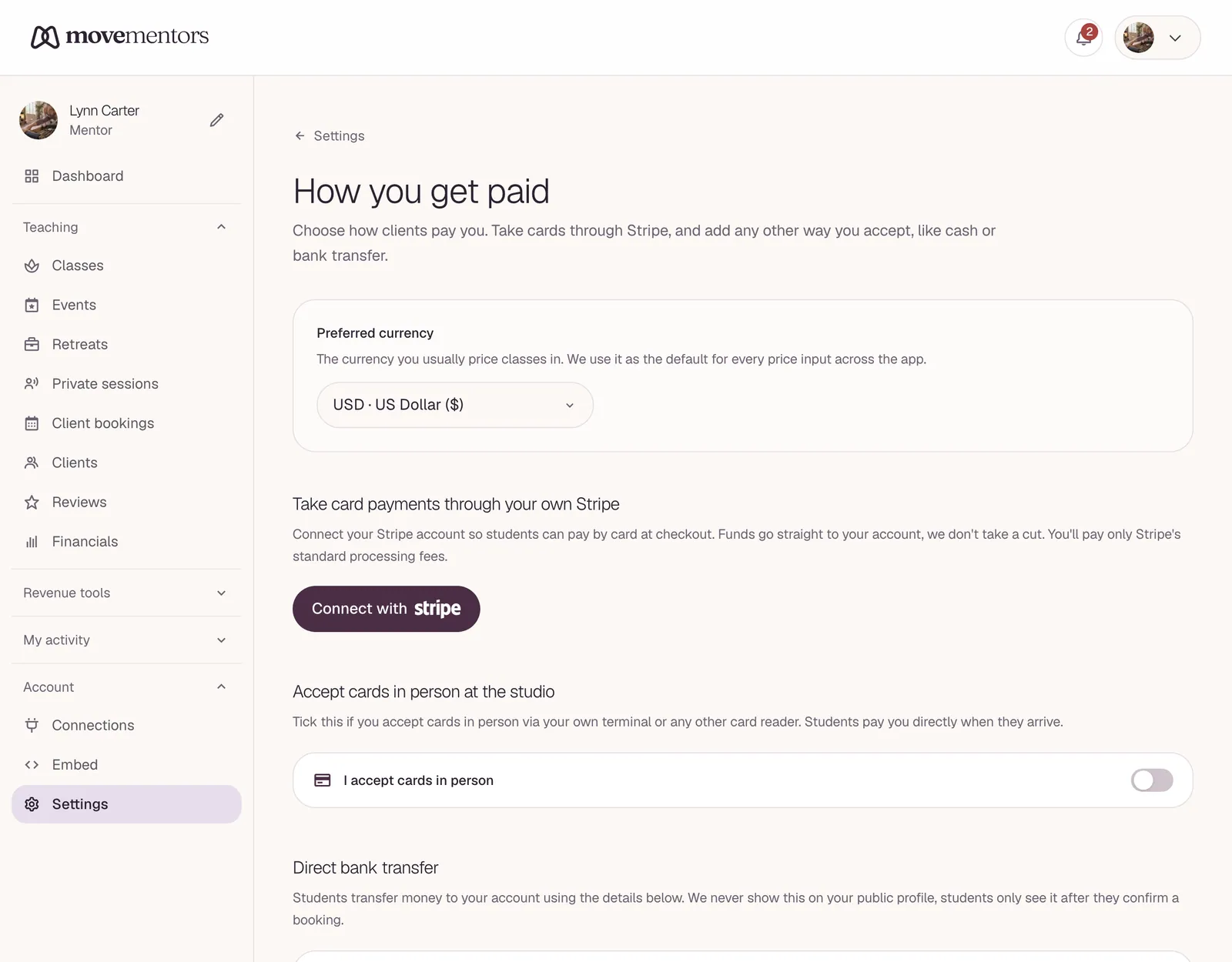
Go to Payment methods at /mentor/settings/payments. The Stripe section shows:
- Charges: live means students can pay you by card. pending means they can't yet.
- Payouts: live means Stripe pays out to your bank. pending means your money waits in your Stripe balance.
- Stripe still needs: followed by a list, if Stripe is waiting for information from you.
Each time you open or reload this page, MoveMentors asks Stripe for your latest status. There is no separate refresh button: reload the page after you've finished something in Stripe.
Then check your Stripe Dashboard
The details and the fix live in Stripe, not on MoveMentors. Log in to your Stripe Dashboard at dashboard.stripe.com with the email you used when you connected Stripe. Your Stripe account is a standard account in your name, so you see the full dashboard.
It shows:
- Your account status.
- Any open verification requests, with instructions.
- Whether payments and payouts are turned on.
- The bank account on file.
If there's an open request, follow Stripe's instructions. We can't complete these for you; Stripe runs verification.
Common states and what they mean
Stripe needs more information
Stripe asks for something else. For example:
- A photo of an ID (driving licence, passport).
- A selfie matching the ID.
- Proof of address (utility bill, bank statement).
- A business registration document (if you signed up as a company).
- A tax ID.
Upload what's asked in your Stripe Dashboard. Stripe usually decides within a day.
Restricted
Stripe has paused payments or payouts. Common reasons:
- Identity verification still incomplete after several requests.
- Unusual activity on the account, such as many chargebacks.
- The bank account couldn't be verified.
Your Stripe Dashboard says what is restricted and what to do.
Under review
Stripe is checking your account by hand. Wait: it usually takes 1 to 3 business days. If it's been more than a week, contact Stripe support from your Stripe Dashboard.
Rejected
Stripe has decided it can't work with your account. Only Stripe can change that, so contact Stripe support directly. We can't reinstate a Stripe account.
Specific stuck situations
Stripe says I'm fully verified, but MoveMentors still shows pending
Reload the Payment methods page. It asks Stripe for your status again each time it loads.
If it still shows pending, check that you're logged in to the same Stripe account you connected. If you have more than one Stripe account, the one connected to MoveMentors may not be the one you just finished. Still wrong? Email support@movementors.com and tell us the email on your Stripe account.
Stripe asked for a US Social Security number, but I'm not in the US
Stripe asks for the tax ID of the country your Stripe account is in, for example:
- US: SSN or EIN.
- UK: National Insurance number.
- EU: a local tax ID, or a VAT number for businesses.
- Australia: ABN or TFN.
- Brazil: CPF or CNPJ.
If Stripe asks for another country's ID, your Stripe account was probably set up in the wrong country. Stripe can't change an account's country. Disconnect it on the Payment methods page, create a new Stripe account in the right country, and connect that one.
Bank account verification keeps failing
Stripe may check your bank account with small test deposits, which take a few business days to arrive. If they never arrive, the account details may be wrong, or the account may not accept incoming transfers. Check the details with your bank and update them in your Stripe Dashboard.
Stripe says my business isn't eligible
Stripe doesn't serve a small number of business types. Movement classes such as yoga, pilates or dance are usually fine. If you think Stripe classified you wrongly, contact Stripe support and explain what you teach.
When charges are live but payouts are pending
Students can pay you by card, and the money waits in your Stripe balance until Stripe turns payouts on.
This is usually a last check before Stripe sends money to your bank, such as:
- Confirming your bank account.
- A further identity check.
- Checking your tax ID.
Your Stripe Dashboard shows what's missing. Once it's done, payouts usually start within a day. You can keep taking bookings in the meantime.
When to contact Stripe vs MoveMentors
| Issue | Contact |
|---|---|
| Stripe is asking for documents | Stripe (follow the dashboard instructions) |
| Stripe rejected your verification | Stripe support |
| MoveMentors shows a different status from Stripe after a reload | MoveMentors support |
| Card payments fail with a Stripe error | Stripe support, or both if it keeps happening |
| Payouts not arriving | Stripe support |
| You want to disconnect Stripe | MoveMentors (Payment methods page) |
| You want to close your Stripe account | Stripe |
Common questions
Stripe approved my account but a student's payment failed. Why? A single failed payment is usually about the student's card, not your account: declined, flagged by their bank, and so on. See Payment failed.
Stripe is asking me to verify again after years. What changed? Stripe checks accounts again from time to time, for example as your volume grows or its rules change. Complete what it asks and your account carries on as normal.
Can I connect more than one Stripe account? No. One Stripe account per MoveMentors account. If you run separate businesses, use a separate MoveMentors account for each.
My Stripe account was closed. Can I connect a different one? Yes. Disconnect the old one on the Payment methods page if it's still listed, then connect the new one. Payments made to the closed account stay with that account; if a student is owed a refund on one, you'll need to pay it back another way.
Next steps
- Stripe Connect setup: the initial setup.
- Stripe Connect explained: how card payments reach you.
- Accepting payments: all your payment options.