Every teacher and studio has one cancellation policy for their classes and events: Flexible, Moderate or Strict. You can cancel a booking until the class starts, with or without an account. Before you confirm, you see exactly what you get back. Card refunds go back to your card. If you paid the host directly, the host pays you back.
The policy types
The host chooses one policy for their whole profile, not a different one for each class. You see it on the booking form, and you tick a box to agree to it before you book.
| Policy | Full refund | 50% refund | No refund |
|---|---|---|---|
| Flexible | Up to 24 hours before | Not offered | Less than 24 hours before |
| Moderate | Up to 48 hours before | Between 48 and 24 hours before | Less than 24 hours before |
| Strict | Up to 7 days before | Between 7 days and 24 hours before | Less than 24 hours before |
The times count back from when the class starts, not from when you booked. If a class starts Saturday at 10am and the host uses Flexible, you can cancel for a full refund until Friday at 10am.
Retreats
Each retreat has its own policy, shown on the retreat page:
| Policy | Full refund | 50% refund | No refund |
|---|---|---|---|
| Flexible (90 days) | 90 days or more before | Between 90 and 60 days before | Less than 60 days before |
| Moderate (60 days) | 60 days or more before | Between 60 and 30 days before | Less than 30 days before |
| Strict (30 days) | 30 days or more before | Not offered | Less than 30 days before |
Some retreats use a custom policy written by the host instead. Read it on the retreat page before you book.
How to cancel
If you booked without an account, you don't need one now, and you don't sign in. If you booked while signed in to an account, sign in first.
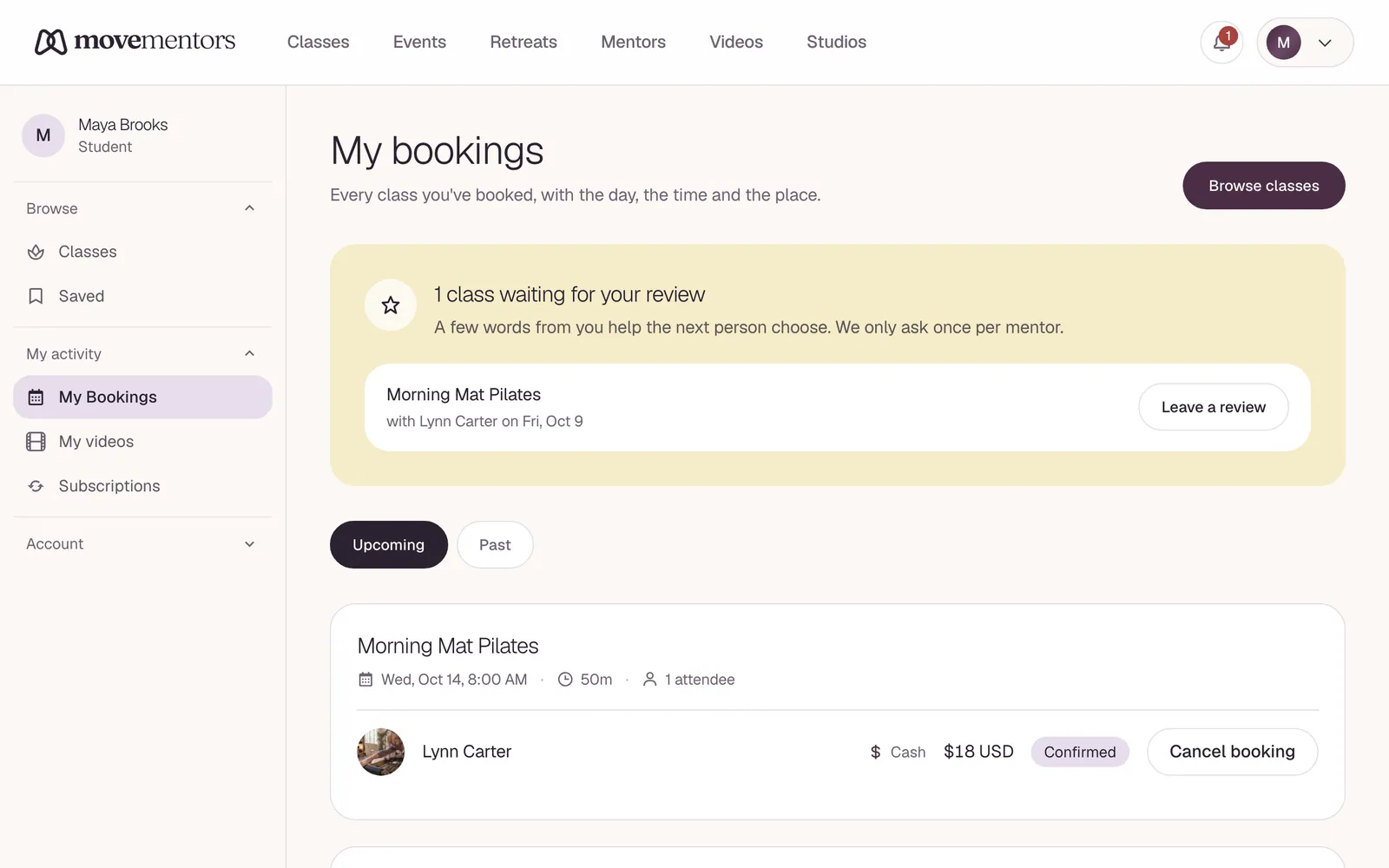
Open your booking page
Select View booking in any email about your booking. It opens your booking page directly, and you don't type your email. If you booked with an account, sign in, go to My Bookings and find the booking on the Upcoming tab.
Select Cancel booking
Under Plans changed?, select Cancel booking.
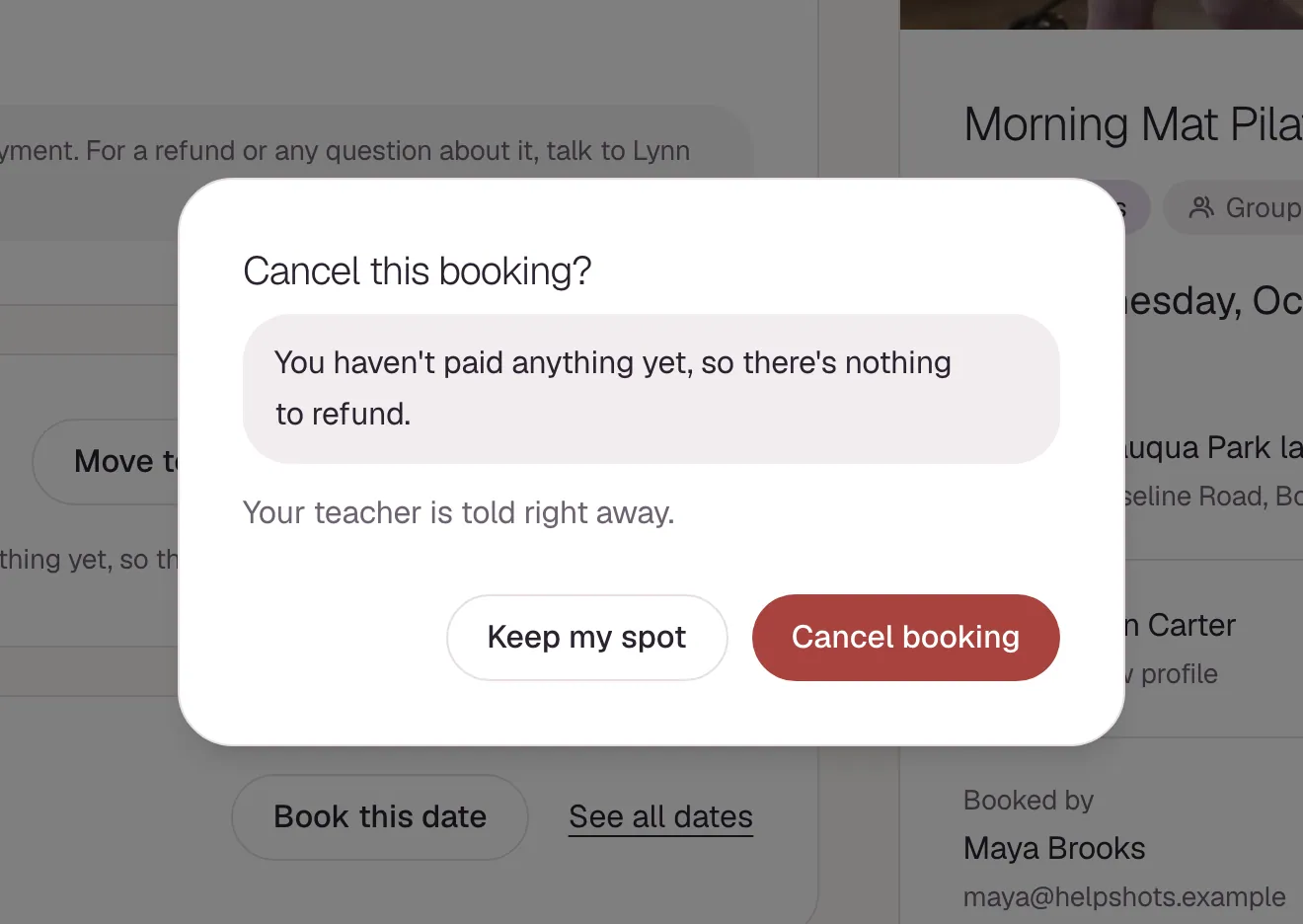
Check what you get back, then confirm
Before anything is cancelled, the page tells you what you get back. Select Cancel booking again to confirm, or Keep my spot to leave it as it is. You and the host both get an email.
The link in your email
If you booked without an account, every email about your booking has a button that opens your booking page directly: the confirmation, the reminders, the payment reminder, and the emails you get when a booking is moved or cancelled. From that page you can move the booking, cancel it, pay by card if that's still open, and add the class to your calendar.
- The link is personal. Anyone who has it can manage that booking, so don't forward the email to someone who shouldn't be able to cancel for you.
- For your privacy, the link stops working 48 hours after the class ends. A link always works for at least 7 days after it was sent.
- An old or expired link shows nothing about the booking. The page asks for the email you booked with and has a button, Email me a fresh link.
- Links in older emails, from before we made this change, land on that same page. Ask for a fresh link once and carry on.
What you see before you confirm
The page works it out from the host's cancellation policy and tells you one of these:
- A full or partial refund to your card, with the exact amount.
- No refund, if it's too late under the policy.
- Nothing was charged, if you were going to pay the host directly, for example in cash or by bank transfer.
If a class pack covered the booking, a note tells you the session goes back to your pack when you cancel in time for a full refund.
You can cancel at any time before the class starts, including inside the no-refund window. Once the class has started, the booking can no longer be cancelled online.
A card booking you haven't paid yet can be cancelled from the same page. Nothing is charged.
If you can't cancel online, contact the host.
Moving to another date instead
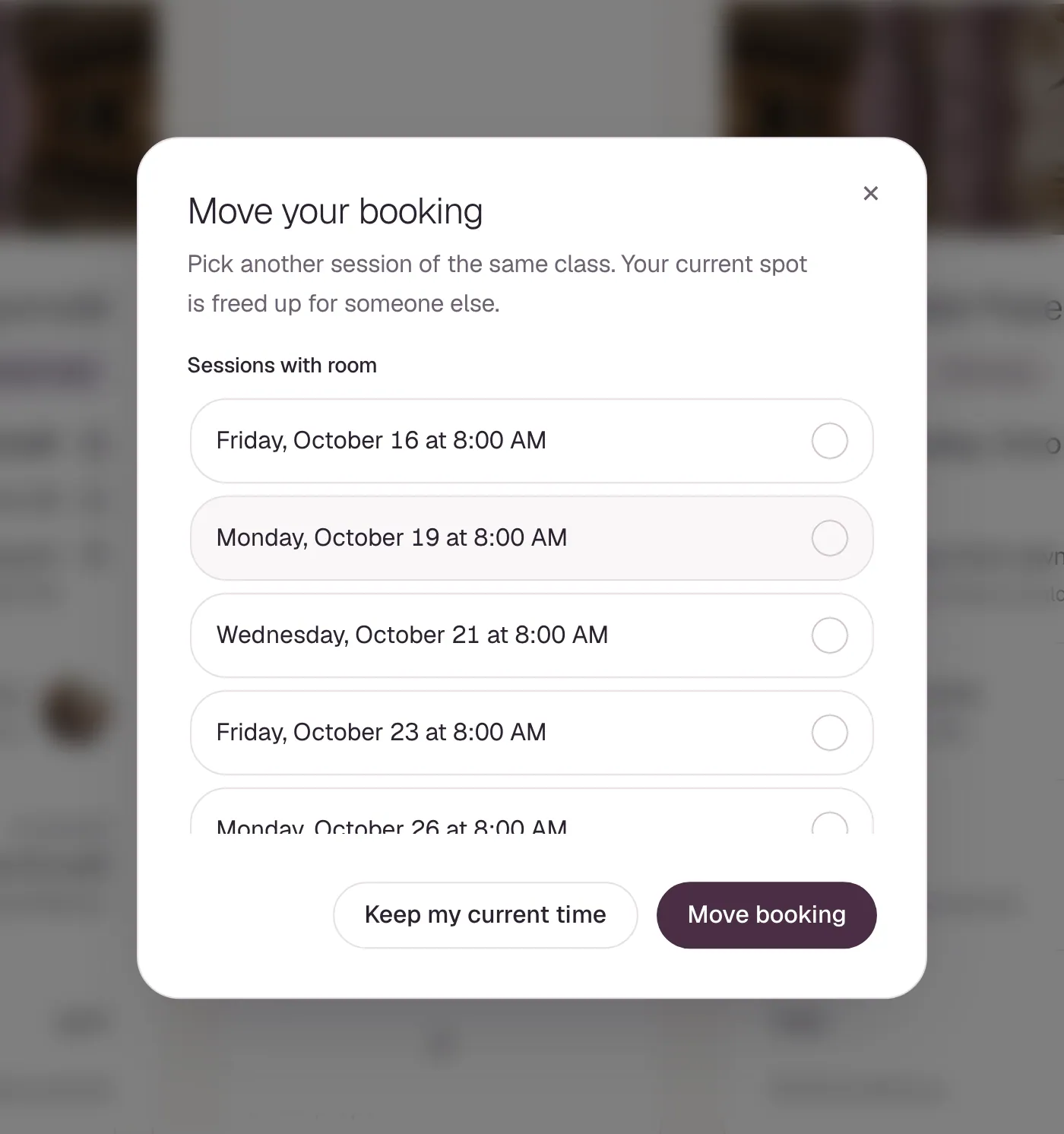
If you just need a different time, you may not need to cancel. On your booking page, under Plans changed?, select Move to another day. In Move your booking, pick another upcoming session of the same class and select Move booking. Your payment stays with the booking, and you and the host both get an email.
You can move a booking as long as you could still cancel it for a full refund. After that, you can only move it if the host allows last-minute changes for that class. Guests can move a booking from the View booking link in their confirmation email.
What happens to your money
Cancelling releases your spot. What you get back follows the host's policy, and you see it before you confirm.
Card payments
If the policy gives you a full or partial refund, it's sent back to the card you paid with when you cancel. How quickly the money shows up depends on your bank.
If you cancel during the 30-minute payment hold, before you've paid, nothing has been charged, so there's nothing to refund.
Cash, bank transfer, PayPal and other direct payments
You paid the host directly, so the host pays you back directly, for example by bank transfer or in cash. MoveMentors doesn't process these payments and can't send the money back for the host. If you hadn't paid yet, there's nothing to refund.
Class packs
If a class pack covered the booking and you cancel in time for a full refund, the session goes back to your pack. If you cancel later than that, it doesn't.
Hosts cancelling on you
If the host cancels a session, your booking is cancelled and you get an email. Anything you paid by card is refunded in full to your card. If you paid the host directly, the host pays you back directly. If a refund doesn't arrive, contact the host.
If a refund doesn't arrive
Contact the host first. If you're owed a refund under the policy and the host doesn't send it, open a dispute.
Cancelling part of a group booking
A booking is cancelled as a whole, for everyone on it. To drop one person from a group, contact the host.
Common questions
The class is full. Can I join a waitlist? Usually, yes: waitlists are on unless the host has switched them off for that class. Select Join waitlist on the class page. When someone cancels, the first person in line gets a spot held for them and an email. The host then confirms the spot and arranges payment.
Where can I see my cancelled bookings? On My Bookings, open the Past tab. It lists your completed and cancelled bookings.
When does my card refund arrive? It's sent to your card when you cancel. How quickly it shows on your statement depends on your bank. Money you paid the host directly comes back from the host, not from MoveMentors.
My booking link says it has expired. What now? The page reads This booking link has expired or Let's get you a fresh link. Enter the email you booked with and select Email me a fresh link. You then see Check your inbox. The fresh link only goes to the email address the booking was made with, and the page shows the same message whatever you type. So if nothing arrives, check the spelling and look in your spam folder. You can ask about 3 times in 15 minutes. If you booked while signed in to an account, sign in and open My Bookings instead.
Next steps
- If a host hasn't sent a refund you're owed, read Disputing a booking.
- To see how each payment method works, read Payment methods.