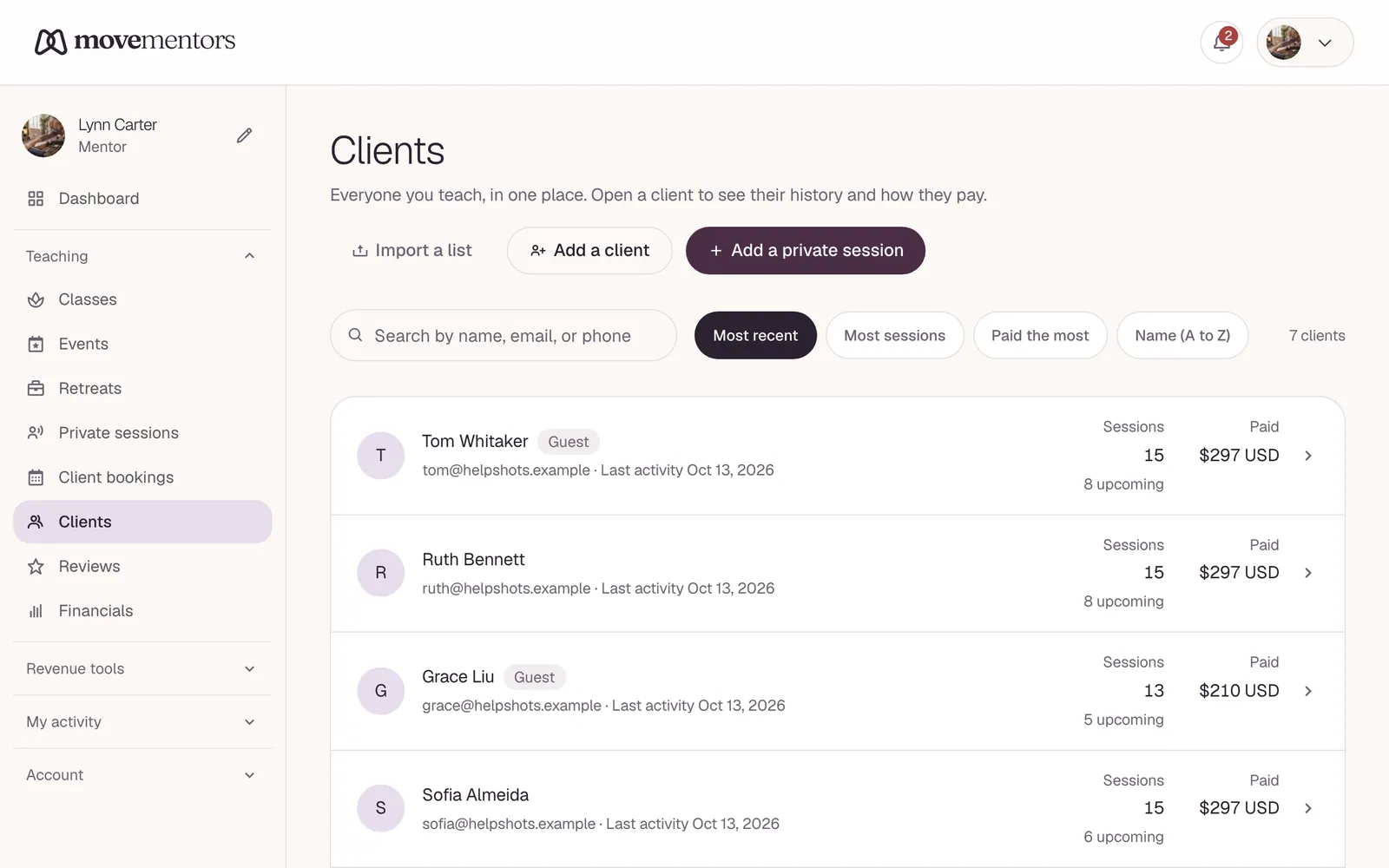
Everyone you teach ends up on one list at /mentor/clients: students who booked a group class, private clients, and anyone you have logged a session for. Each person has their own page with their session history, what they have paid, what they still owe, and your private notes.
The client list
Search by name, email or phone, and sort by Recent activity, Most sessions, Top revenue or Name (A to Z).
Each row shows:
- Name and contact details.
- How many sessions they have had with you and how much you have earned from them.
- Their last activity date and any upcoming sessions.
- Small badges: Guest (no MoveMentors account), a note icon when you have written a note about them, their package or subscription balance, and any amount they still owe you.
Click a row to open the client's page.
A client's page
- Stats: total sessions (including how many were private), lifetime revenue, upcoming sessions, and the amount owed.
- Session history: their group class bookings and private sessions with you, each with its status (for example Confirmed, Attended, Awaiting payment, Cancelled or No-show). On a private session you can Mark paid when the money arrives, or Cancel it.
- Arrangement: how this client pays for private sessions (see below).
- Notes: your private notes about this person. Clients and other teachers never see them.
How clients get added
A client record is created automatically the first time someone books with you, guest bookings included (the record is tied to the email they used). You can also add people yourself:
- Add a client on /mentor/clients saves one person, for example someone who books private sessions with you by phone.
- Import CSV brings in a list of past clients in one go: up to 2,000 rows and 2 MB per file. Client exports from Mindbody and Vagaro are recognised, and any CSV with a name column plus an email or phone column works. People already on your list are updated, not duplicated.
If a single student books under two different emails over time, they show up as two separate clients. We do not merge them automatically. You can request a merge by emailing support with both emails.
Logging a private session
New private session records a one-to-one session you have run or are about to run. Pick the client, the date, time, duration and price, and how they paid: cash, Venmo, PayPal, Zelle, bank transfer, a Stripe payment link, package or subscription credit, free, or other.
Tick Already paid to count it in your earnings straight away. Otherwise it is saved as scheduled, and you mark it paid when the money lands.
Arrangements for private clients
If someone prepays or trains with you on a regular deal, set an arrangement on their page:
- Pay per session: no prepayment. Each session has its own price and payment record. This is the default.
- Package: a set number of sessions for one price. Each session you log uses one, and their page shows how many are left.
- Subscription: a price per week or per month that covers a set number of sessions in each cycle.
- Free / comped: sessions count in the client's history but not in your revenue. Useful for trades, comped sessions or a trial.
Setting a new arrangement replaces the current one. Sessions you log from then on count toward the new one.
Using your client list well
Welcoming new regulars
When someone has come to a few classes in a row, a small personal touch helps them stick around:
- Send a short thank-you by email or text and ask how they are finding the classes.
- Write down anything you have noticed in their notes: injuries, preferences, goals.
- If you sell class packs, mention them. A pack suits someone who comes every week.
Checking in with people you have not seen
Sort by Recent activity and scroll to the bottom to see who has not been in for a while. Some have moved or changed routines, and that is fine. For others, a friendly note is enough, or a promo code for their first class back (promo codes are on the Pro and Premium plans). Keep it to one or two messages; more than that feels pushy.
Before class
For private sessions and small groups, open each client's page beforehand and skim your notes. People notice when you remember that they were nervous about backbends.
Privacy
You can see a client's contact details because they booked with you or you added them. Your notes stay private to you.
If a client asks us to delete their data, we let you know first, then remove their personal details while keeping the anonymous payment records you need for your accounts.
Common questions
Can I import existing clients from a previous tool? Yes. Export your client list as a CSV (from Mindbody, Vagaro or a spreadsheet) and use Import CSV on /mentor/clients. Each file can hold up to 2,000 rows and 2 MB.
Can I export my client list? Not yet. For your earnings, see Exporting your earnings to CSV.
Can I see which other teachers a client takes classes with? No. A client's history with you is only visible to you, and we never share one teacher's client data with another.
Can two teachers share one client list? No. Each teacher account has its own list.
Can I email all my clients at once? Not from MoveMentors today. Use your own email or messaging tool.
Next steps
- Managing bookings: the daily bookings that fill your client list.
- Offering private sessions: let clients book one-to-one time with you.
- Financials and expenses: the money side of your teaching.