Weekly class limit
Free mentor and studio accounts include 1 scheduled session per week, from Monday to Sunday in the account timezone (UTC if none is set). Each group class, private lesson or event date counts separately across all classes and locations, including dates in drafts. Recurring schedules can run once per week on Free. Cancelled sessions do not count. Bookings within a session are unlimited. Upgrade to Pro or Premium to schedule more than 1 session in a week. Existing scheduled sessions and bookings stay in place after a downgrade; adding more sessions requires an upgrade.
A mentor account is for independent teachers who run classes under their own name. You get a public profile, your own schedule and prices, payments that go straight to you, and a dashboard that shows what needs your attention. It is free to start, and there is no commission on bookings on any plan.
What it costs
Nothing to start. On the Free plan you can list classes, take bookings and get paid by card or by any other method you set up. You keep 100% of what students pay, minus Stripe's card fee on card payments.
The paid plans add business tools:
- Pro at $9.99 a month ($99 a year): financials and expenses with CSV export, class packs and group packages, promo codes, online classes on Google Meet or Zoom, the ID verified badge, the video library, and no ads on your profile.
- Premium at $19.99 a month ($199 a year): everything in Pro, plus memberships, the embed widget for your own website, retreats with payment plans, and up to 50 promo codes.
See teacher plans, or compare everything on the pricing page.
What you get on the Free plan
- A public profile at
movementors.com/<city>/<your-slug>. - 1 class per week with recurring schedules, and events with an agenda and up to 4 co-hosts.
- Booking management: confirm bookings, mark payments as received and mark who attended.
- Card payments into your own Stripe account, plus bank transfer, PayPal, Venmo, Cash App, Zelle, cash and crypto.
- Waitlists, pay-what-you-can pricing and tips.
- Email notifications for new bookings, cancellations and reviews.
- Reviews from students.
- A client list with each person's history, plus CSV import of past clients.
- Calendar connections (Google, Apple, Zoom).
- Boosts at $5 per session when you want to fill a class.
Free profiles can show ads.
Your dashboard
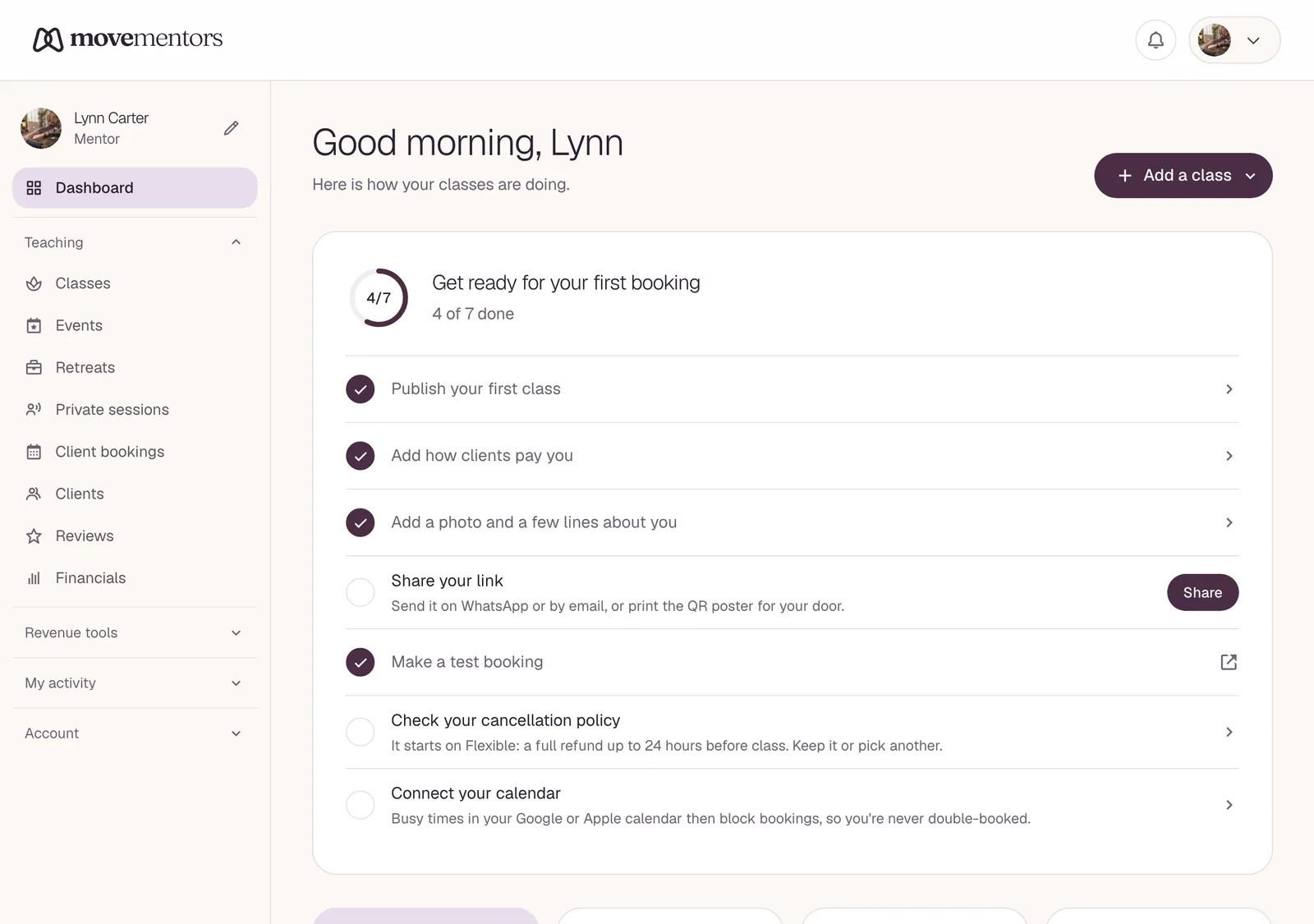
After onboarding you land on /mentor. The sidebar has:
- Dashboard: your overview and anything waiting for you.
- Teaching
- Classes, Events and Retreats (Premium): create and edit what you offer.
- Private sessions: your one-to-one availability and requests. See offering private sessions.
- Client bookings: incoming bookings, where you confirm them and mark payments as received.
- Clients: everyone you teach, with their history and your notes. See your client list.
- Reviews: what students say, and your replies.
- Financials (Pro and Premium): earnings, expenses and exports.
- Revenue tools: Video library, Class packs and Promo codes (Pro and Premium), and Subscriptions for client memberships (Premium).
- My activity
- My Bookings and Saved: classes you book or save as a student.
- Studios: invitations from studios and the calendars of studios you teach at. See how studios invite instructors.
- My rentals: rooms you rent from studios. See renting studio space.
- Account
- Connections: Google Calendar, Apple Calendar and Zoom.
- Embed (Premium): the booking widget for your own website.
- Settings: payments, billing, verification, text reminders and more.
A typical week
- Once, at setup: complete the onboarding steps, and connect Stripe if you want card payments.
- As classes happen: card bookings confirm by themselves once they are paid. Mark cash and bank transfer payments as received, and mark attendance after class.
- Every week: reply to reviews and add notes about your clients.
- Every month: review your financials (Pro and Premium) and export them for your accountant.
- As needed: answer private session requests and update your schedule.
How MoveMentors works for you
- You own the relationship with your students. We give you the tools, but we don't stand between you and them.
- Card payments go straight to your own Stripe account. MoveMentors never holds your money.
- No surprise fees. Plans are a flat monthly or yearly price, and there is never a commission on bookings.
- Only the data the job needs. Fill in as much or as little of your profile as you like.
Next steps
- Walk through the setup: onboarding walkthrough.
- Already set up? Start with creating a class.
- Curious how money moves? See how payments work.
- See everything MoveMentors does for teachers.