Weekly class limit
Free mentor and studio accounts include 1 scheduled session per week, from Monday to Sunday in the account timezone (UTC if none is set). Each group class, private lesson or event date counts separately across all classes and locations, including dates in drafts. Recurring schedules can run once per week on Free. Cancelled sessions do not count. Bookings within a session are unlimited. Upgrade to Pro or Premium to schedule more than 1 session in a week. Existing scheduled sessions and bookings stay in place after a downgrade; adding more sessions requires an upgrade.
A class on MoveMentors is a description (title, category, location, price) plus the dates it runs. Each date is its own session, and students book a specific session.
To create one, go to Classes in your dashboard, click Create class and choose In-person class. You can also go straight to /mentor/classes/new. For a class on Zoom or Google Meet, choose Online class instead; see Online classes.
Everything is on one page, in sections. Fields marked with a star are required. If something is missing, a box above the button lists what's Still needed before you can publish.
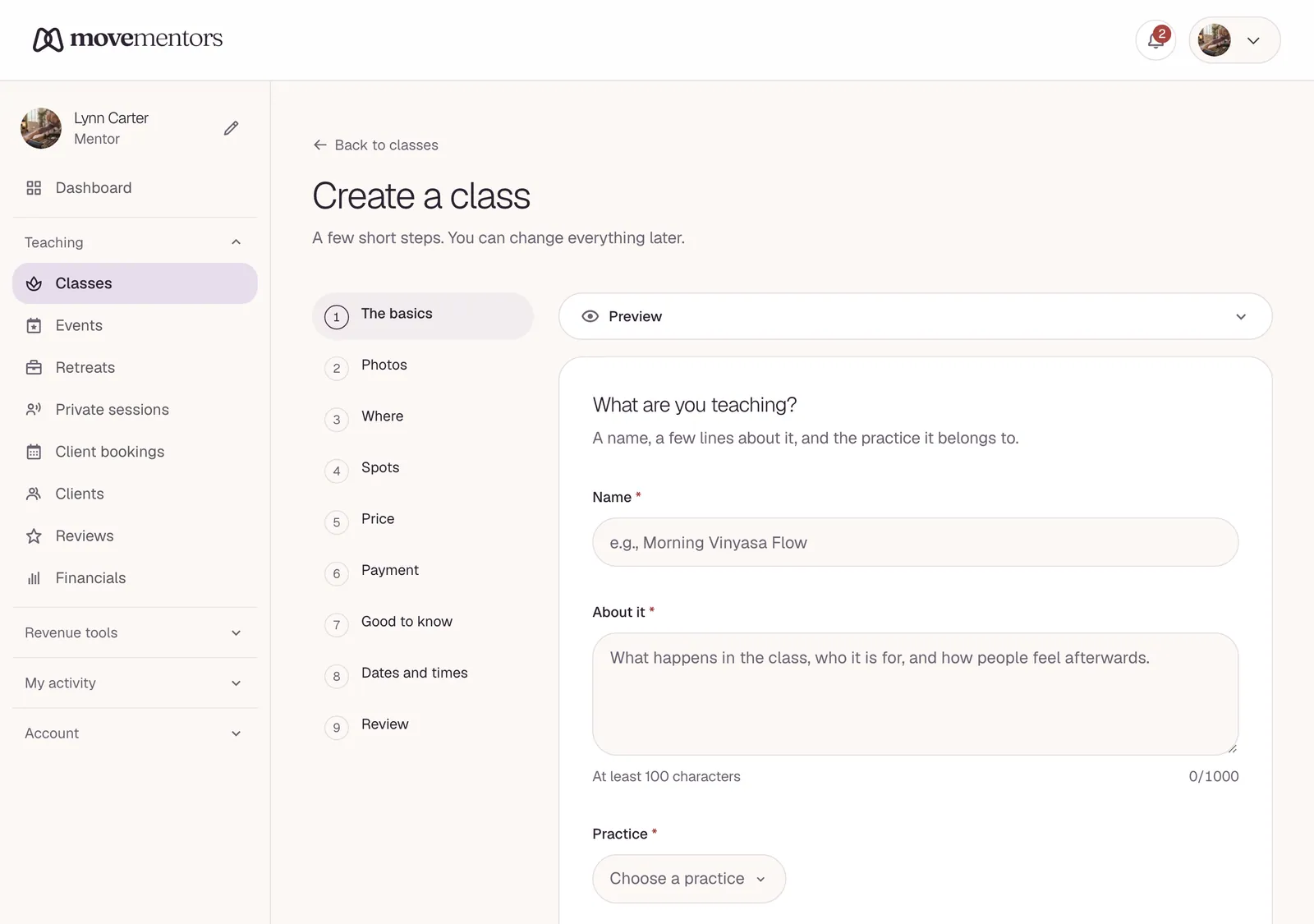
General
Title. What students see in the listings. Concrete beats vague: "Morning vinyasa flow" tells people more than "Yoga class".
Description. What the class is, who it's for and what to expect. Between 100 and 1,000 characters. Cover the style, the level, the pace, and anything people should know before they come.
What kind of programming is this? Leave it on Class for a regular class. Event and Retreat have their own articles: Creating an event and Creating a retreat.
Cover photo. Required. A real photo of your class or your space works best: natural light, people moving, not stock images.
Additional photos and YouTube video. Optional, on Pro and Premium. Add up to 5 more photos, or a YouTube link that plays on your class page.
Category and Class types. Pick a category (Yoga, Pilates, Dance and so on), then one or more class types inside it. They drive the filters students use, so pick the most specific ones that fit.
Class languages. The language or languages you teach in. Pick at least one.
Location
Where the class takes place. Under Choose a location, pick a place you've used before, or choose A different venue to search for a new one. Then pick the location type (Studio, Outdoor or Gym) and, if you like, add a short Location note (optional), such as an entrance hint or parking tip.
A new place is saved for next time. See Locations.
Capacity
Maximum capacity is how many people can book each session. Be honest: listing 12 spots when your room comfortably holds 8 leads to crowded classes. If you take walk-ins, you can keep a few spots off the platform.
Three switches sit under it:
- Show available spots to students: shows "X spots left" on each session.
- Allow a waitlist when fully booked: lets people queue for a full session. See Waitlists.
- Allow last-minute reschedule: lets students move their booking to another session of this class even inside your cancellation window.
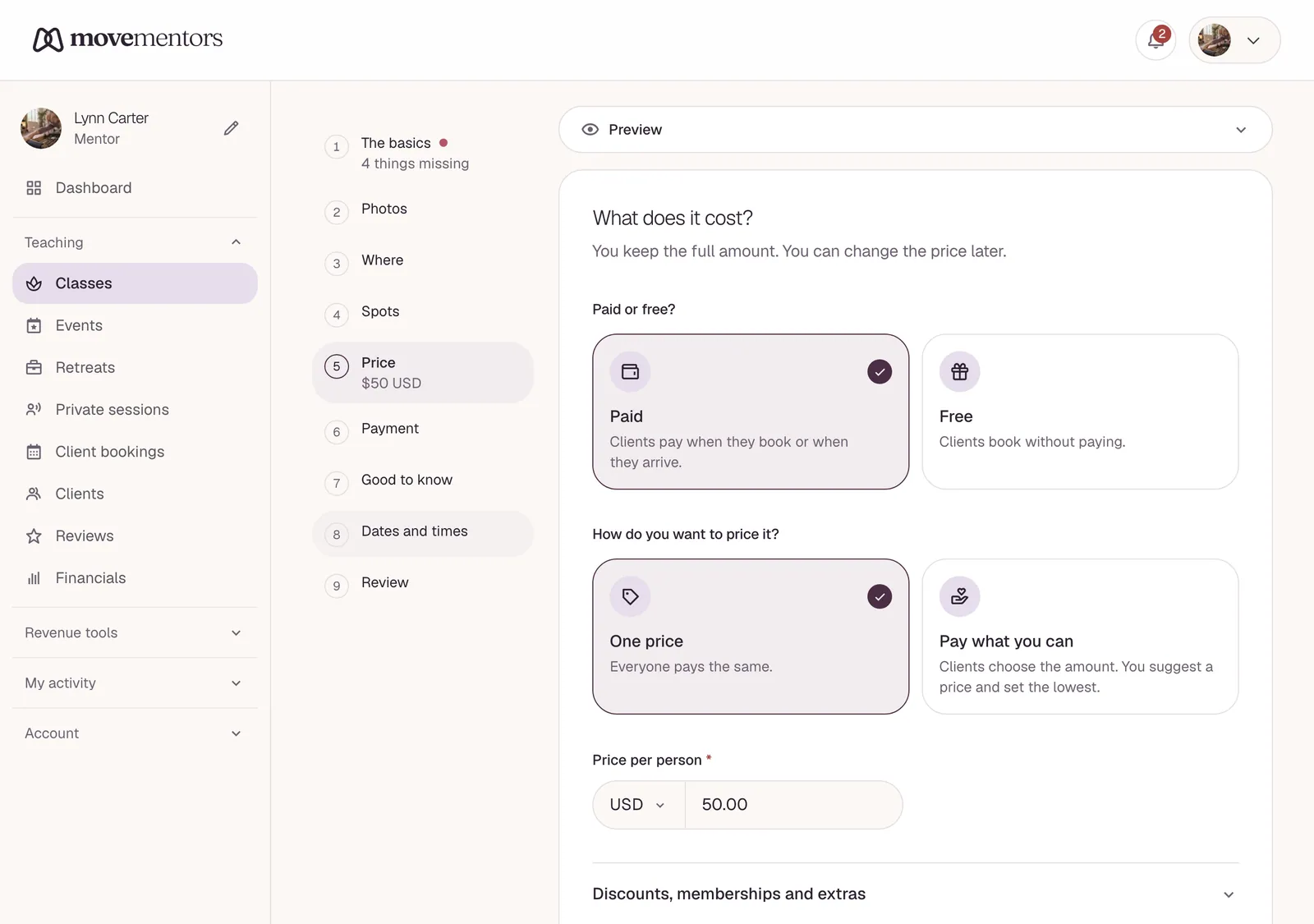
Pricing
Choose Paid or Free.
For a paid class, set the Price per person and its currency. The currency starts on your preferred currency. We don't convert prices for students in other countries: a class priced in euros shows in euros, and the student's bank handles any conversion.
Optional extras for paid classes:
- Let students pay what they can: sliding-scale or donation pricing, with a suggested price and a minimum. See Pay-what-you-can pricing.
- Add early-bird pricing: up to 3 discount tiers for people who book early.
- Charge tourists a different rate: only if you turned on local and tourist rates in your payment settings.
- Include in subscription plans: lets your members book this class against their plan (Premium).
Add-ons
Optional extras students can add to their booking, such as a mat rental or a towel. Click Add an add-on and fill in the name, an optional description, the price and the quantity available per session. Online classes don't have add-ons.
See Pricing and add-ons.
Payment methods
For a paid class, choose which of your payment methods this class accepts. By default it accepts all of them. Your methods themselves are set in Payment methods; see Accepting payments.
Class attributes
Help students know what to expect:
- Difficulty level and Intensity level.
- Equipment to bring: what students should bring, such as a mat or a water bottle.
- What's included: what you provide, such as mats, blocks or water.
Keep these short and specific.
Schedule
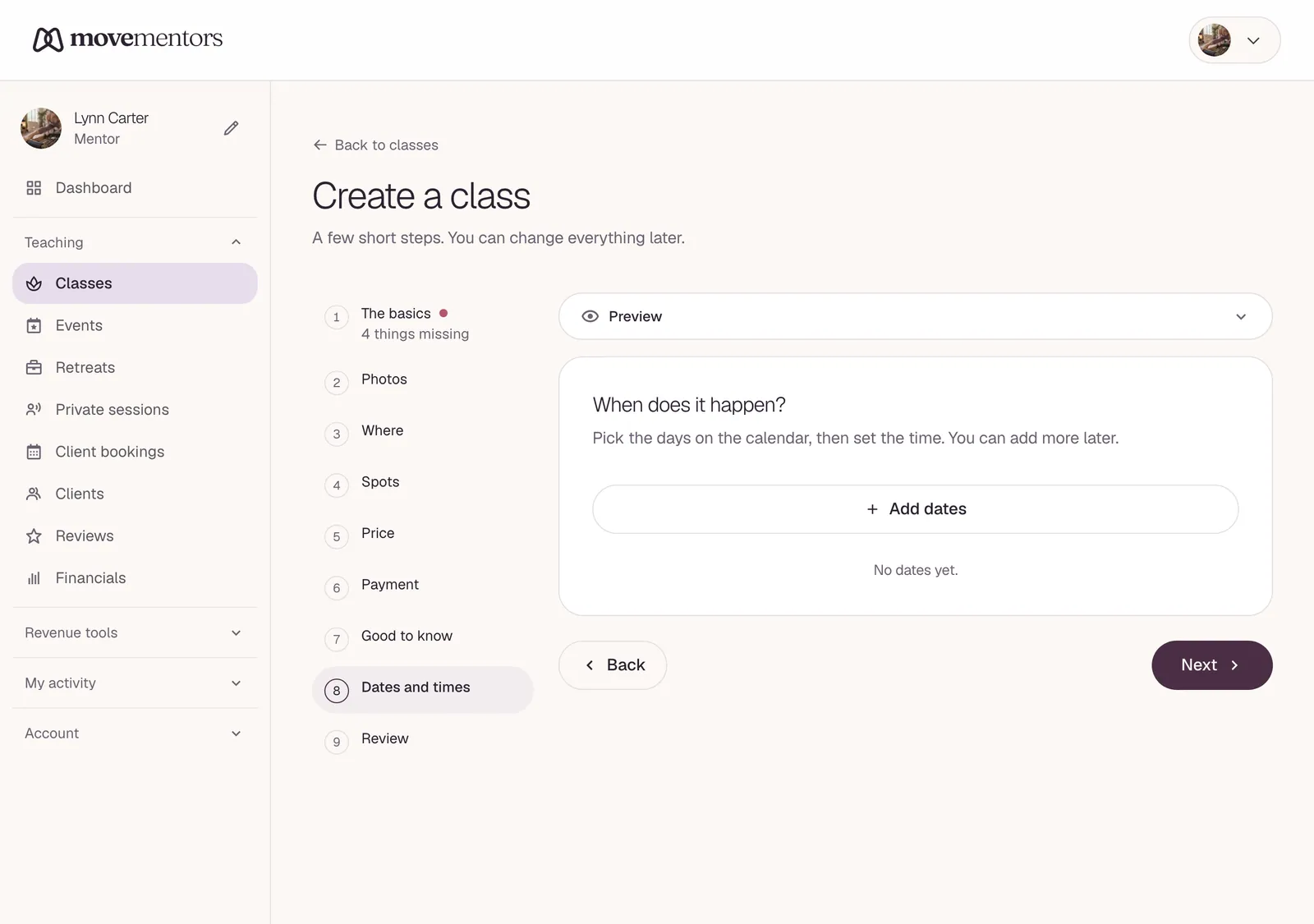
Click Add a session. Under Dates you'll host this session, tap every date the class runs on the calendar, then set the Start time and End time once. They apply to every date you picked. Click Add to put the sessions on your schedule.
For a weekly class, tap each weekly date. There's no separate repeat rule: the dates you tap are the schedule, and you can add more dates later. See Schedules and recurring sessions.
Creating the class
Check everything, then click Create class. The class goes live straight away: it shows on your profile and in the class listings, and students can book the sessions you added.
Cancellation policy
There's no cancellation setting in the class form. Your cancellation policy is the one you picked when you set up your profile, and it applies to every class and event you run. Retreats have their own refund tiers. See Your cancellation policy.
After creating the class
- Share the class link. The address is
/<city>/<your-slug>/<class-slug>. Use it in your Instagram bio, your email signature or a flyer. - Connect your calendar. On the Connections page, Google Calendar or Apple Calendar blocks the times you're busy, so nobody books you then. Your classes aren't copied into those calendars (only online bookings with a Meet link go to Google). To see your teaching schedule in a calendar app, use Export Calendar on the same page: it downloads a calendar file (.ics) of your teaching schedule.
- Edit the class. In your classes list, open the class's menu and choose Edit to change the details, or Manage schedule to add or remove dates.
Common questions
Can I duplicate a class? Yes. In your classes list, open the class's menu and choose Duplicate. The copy has no dates yet: review it and add dates to publish it. See Duplicating a class.
Can I approve each student before they book? No. Anyone can book a session that has spots left. If you want to agree on the details first, offer private sessions instead; see Offering private sessions.
Can I limit a class to certain students (members only, for example)? There's no members-only setting. Hide from public in the class's menu takes the class off your profile and the listings, and it can't be booked while it's hidden.
Can I sell a pass that covers several classes? Yes, with class packs on Pro and Premium. See Class packs.
Next steps
- Schedules and recurring sessions covers dates in more depth.
- Pricing and add-ons covers pricing.
- Managing bookings covers what to do once students start booking.