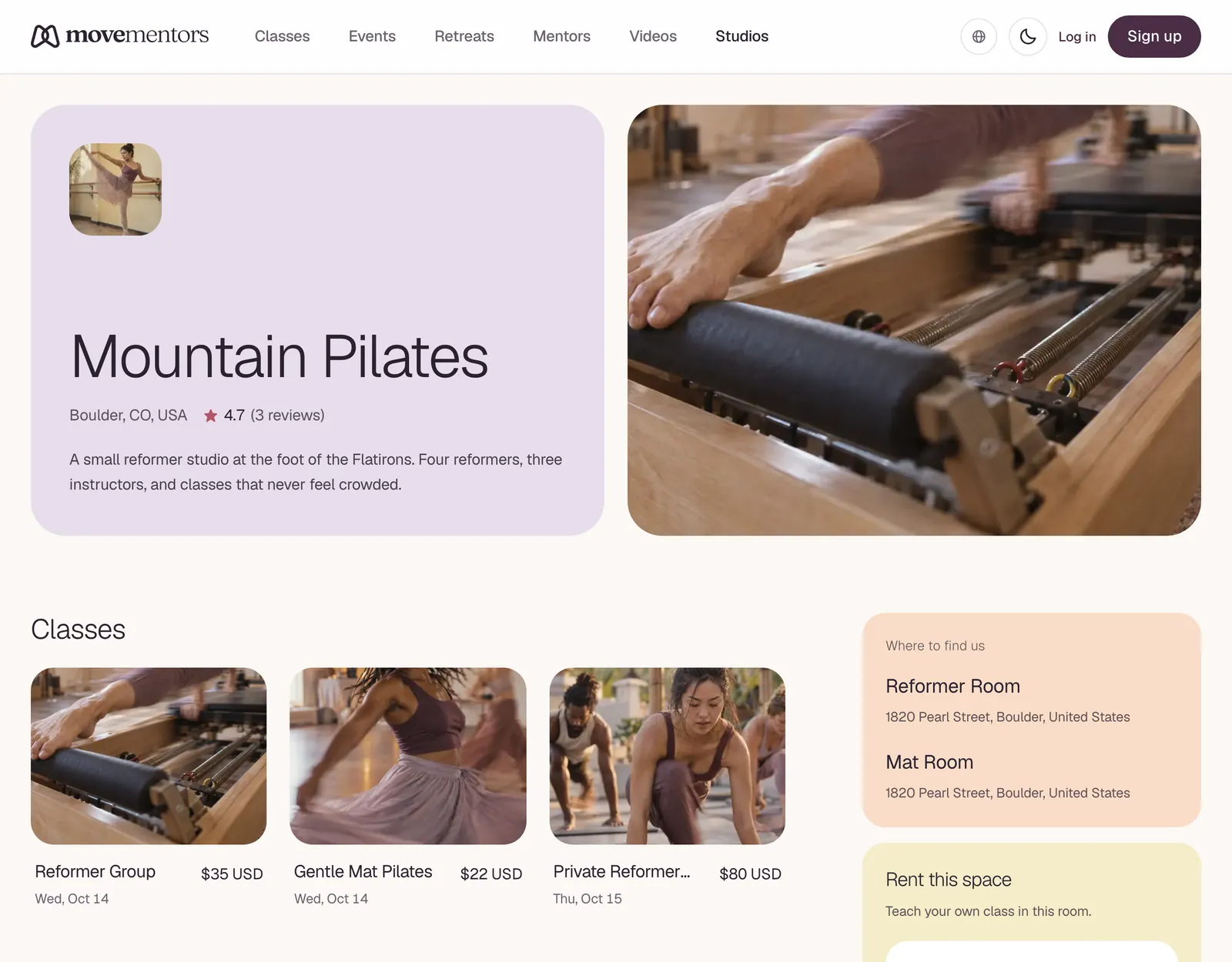
Studio profiles live at /studios/<studio-slug>. They show the studio, where it is, the teachers who teach there and its upcoming classes. Teachers looking for a room to rent also see the studio's rental offer. Here's what each part means.
Hero
The studio's logo, or its first initial, with its name and city. If the studio has a rating, it shows here too. Studios don't have an ID verified badge; that check is for teachers.
About
The studio's own description. Good studio descriptions cover:
- What the studio is like and who it's for
- The space, equipment and amenities
- The teaching team
- House rules, such as arrival time or shoes off
Rent this space
Some studios rent rooms to visiting teachers. This section shows the rooms, the fee and how to ask. It's for teachers, not students. Teachers can read Renting studio space.
Video library
Recorded classes the studio sells, if it has any.
Locations
Every location the studio lists, with its name and address.
In-house mentors
The Teachers at this studio section can show two kinds of teachers:
Teachers with a MoveMentors profile
Teachers with their own profile who teach classes listed with this studio. Select one to open their profile, with their bio, other classes and reviews.
Custom mentors
Teachers the studio names who don't have a MoveMentors profile. They're listed so you know who teaches there, and they can't be selected.
This section doesn't necessarily include everyone on the studio's instructor roster.
Classes
Upcoming classes at the studio, each with a photo, title, next date and price. For classes a teacher runs with the studio, select the card to open that teacher's class page, where you can see the details and book.
Booking, payment and cancellation
Booking a class listed with a studio works like booking any class: see Booking a class. The payment methods and cancellation policy are those of whoever created the class, and you see them on the class page and the booking form. Card bookings are confirmed once your payment goes through, and bookings you pay for directly are confirmed straight away.
Things to look at before booking
- The cancellation policy. It's on the booking form, and you agree to it before you book.
- The exact location. A studio can have several locations, so check the class page shows the one you want.
- The accepted payments. Check them on the class page before you go, especially if you want to pay by card.
- The teacher. The class page shows who teaches the class.
Common questions
Can I book a private session at a studio? Private sessions are booked with a teacher, from the Book a private session panel on their profile. Some studios let teachers take private bookings in their rooms, so the studio can appear as one of the locations to choose from.
Do studios pay their teachers from my booking? Your payment goes to whoever created the class. How a studio and its teachers share money is agreed between them, outside MoveMentors.
Can I leave a tip? Yes. When you book a paid class, you can add an optional tip on the booking form: 10%, 15%, 20% or an amount you choose. It goes to whoever is paid for the class.
Next steps
- Found a class? See Booking a class.
- Curious about how studios run their teaching team? See Instructor roster.