A teacher's profile, at an address like /<city-country>/<mentor-slug>, is the page that should tell you whether to book. It shows who they are, what they teach, their upcoming classes and what past students say. Here's what each part means, including the ID verified check mark and certifications.
Hero section
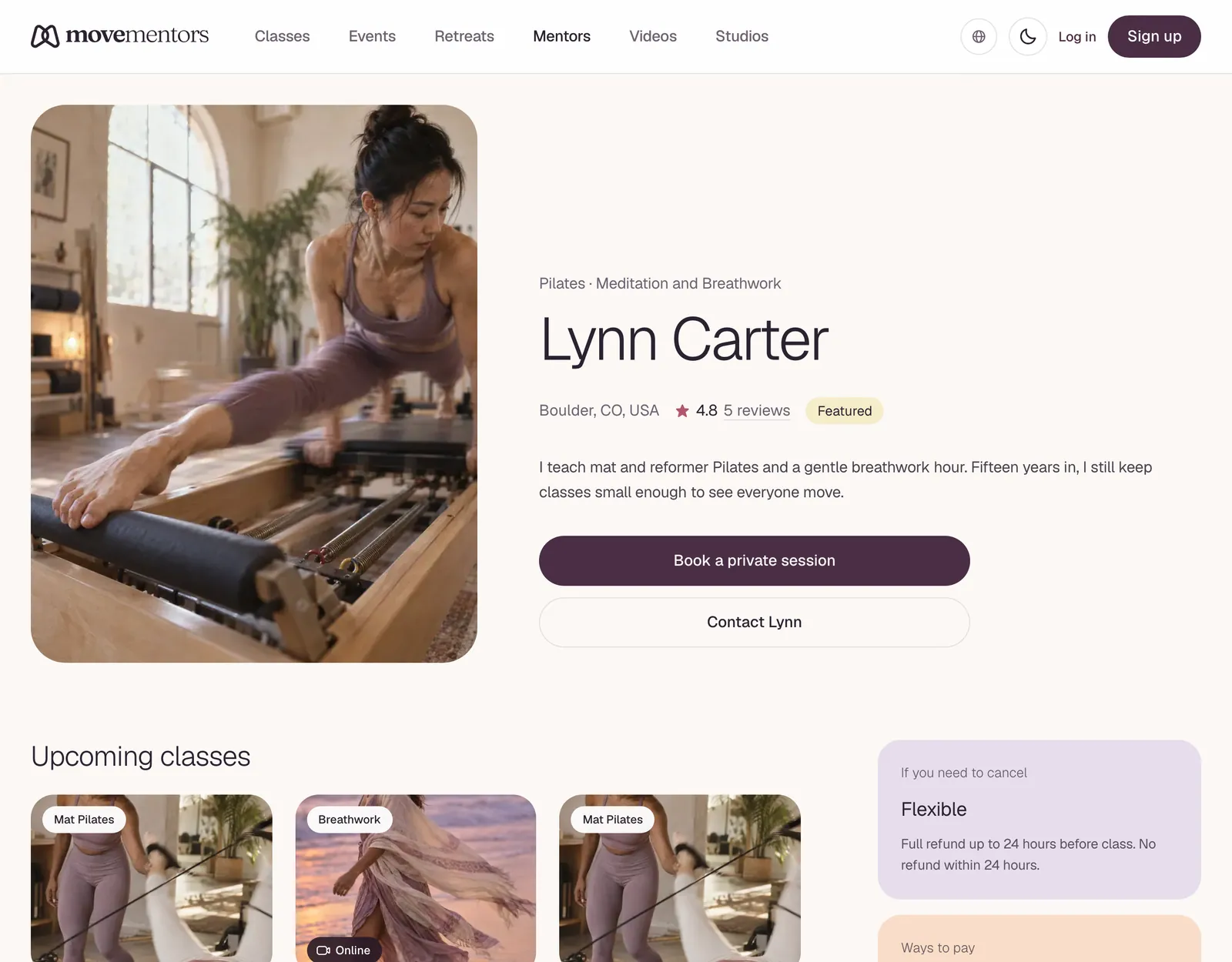
The top of the profile shows:
- Photo, name, city and country.
- ID verified check mark. A check next to the name means the teacher verified their identity with Stripe Identity, which teachers on the Pro and Premium plans can do. It confirms who they are, not how well they teach.
- Rating. The average of the stars in their reviews.
- Request a private session and Contact buttons.
Contact sends the teacher a message. You need to be signed in. We forward your message by email, and the teacher replies to your email address.
At a glance
A short summary of the teacher's cancellation policy, for example "Flexible policy", and whether they have separate local and tourist rates. See Cancelling and refunds for what each policy means.
Accepted payments
The payment methods the teacher accepts, such as card, card in person, bank transfer, PayPal, Venmo, Cash App, Zelle, Wise, crypto, cash or a method of their own. Account details and handles aren't shown on the profile: you see the details for the method you choose after you book.
About
The teacher's own description. The good ones tell you:
- What they teach: style, lineage, approach.
- Who their classes are for: beginners, experienced students, a particular group.
- Where they trained and what shaped their teaching.
- What a typical class is like.
- Any safety notes, for example if classes aren't suitable during pregnancy without changes.
A very short bio may simply mean the teacher is new to MoveMentors.
Memberships, class packs and videos
Depending on the teacher, you may see:
- Subscribe to and the teacher's name: a membership, which is a recurring plan for regular students.
- Save with a class pack: a set number of classes paid up front.
- Video library: recorded classes you can buy, or get for free when the teacher offers them that way.
You need an account to buy a class pack or a membership.
Classes
Under Available Classes there's a card for each upcoming session, with the photo, price, date and time, location and category. Events, retreats and online classes appear here too. Select a card to open the class page, where you can check the details, availability and cancellation policy, and book.
Book a private session
If the teacher offers private sessions, this panel lets you pick a location, a length and an open time. There's no payment when you book: the teacher confirms the session and arranges payment with you. See Booking a private session.
Teaches
The categories and styles the teacher teaches.
Certifications (when shown)
Certifications the teacher has added, with who issued them and a short description when given. Our team checks each certificate document before it appears on the profile. That check confirms the document; it doesn't assess anyone's teaching. Read the bio to see what their training covered.
Reviews
The average rating, the number of reviews and the five most recent reviews, each with the student's name, the class, the stars, their words and the date. If the teacher replied, the reply shows under Mentor's Response. Teachers can't delete reviews.
A few signals to read for:
- Volume and score together. A 4.6 from many reviews says more than a 5.0 from two.
- What students mention. Pace, cues, the room, how welcoming it felt.
- How the teacher replies. Thoughtful replies to criticism are a good sign.
Things that are not shown publicly
- The teacher's email address and phone number.
- Bank details, payment handles and wallet addresses. You only see the details for the method you choose, after you book.
If a teacher asks you to book outside MoveMentors to "save fees", be careful: MoveMentors doesn't add a booking fee, so there's nothing to save.
Common questions
Can I see how many bookings a mentor has done? No. Profiles don't show booking counts. Recent reviews are a better sign of activity.
The mentor has no upcoming classes. Are they still active? They may only offer private sessions, or be between classes. Look for the Book a private session panel or recent reviews, or use Contact to ask.
Next steps
- Found a class you like? Read Booking a class.
- Want to know more about payments before you commit? Read Payment methods.