Promo codes give bookers a discount at checkout. They're a Pro-plan feature; the discount comes out of your revenue, the platform doesn't subsidize.
Where to manage them
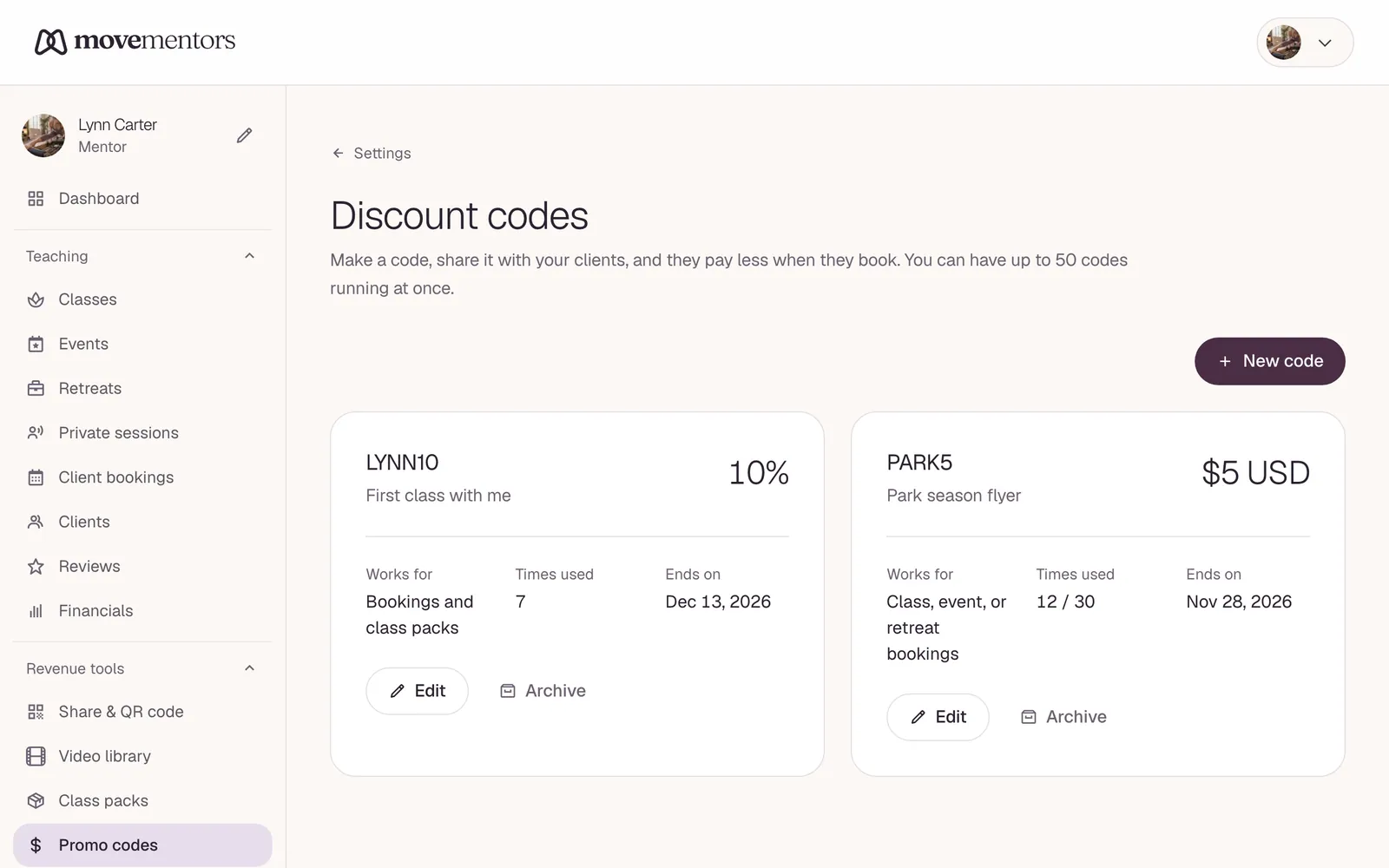
Revenue tools → Promo codes in the sidebar.
Two kinds
- Percent off: 1-100. Applied to the class price (not add-ons, not tips).
- Fixed amount off: a flat amount in one currency. If the booking is in a different currency the code won't apply.
Usage caps
Two independent caps:
- Total uses (optional): total across all bookers. Leave it blank for unlimited. Useful for "first 50 customers."
- Each client can only use this code once: when on, the same logged-in account can't redeem twice. On by default.
Plus an optional Expires date. After it, the code stops working but stays in your history.
Under Applies to, choose whether the code works on class, event and retreat bookings, on class packs, or on both.
What bookers see
An I have a promo code box on the booking form. They tick it, type the code and click Apply, and the total updates. The discount snapshot is recorded on the booking so editing the code later doesn't shift past bookings.
What you see
- The redemption count + lifetime stats per code on the management page.
- Each booking that used a code has the snapshot attached, visible on the booking detail page.
- The financials dashboard surfaces promo-code revenue impact in the breakdown.
Common patterns
- First-class deal: 50% off, each client can use it once.
- Seasonal: 25% off, expires in 30 days, no redemption cap.
- Referral: 20% off, 100 total uses, each client once.
- Corporate: 100% off with total uses matching the headcount, each client once, expiring when the program ends.
Surface via MCP
Agents can call list_my_promo_codes to read your code list with redemption counts. Codes themselves are created via the web; the MCP server doesn't mint codes today.